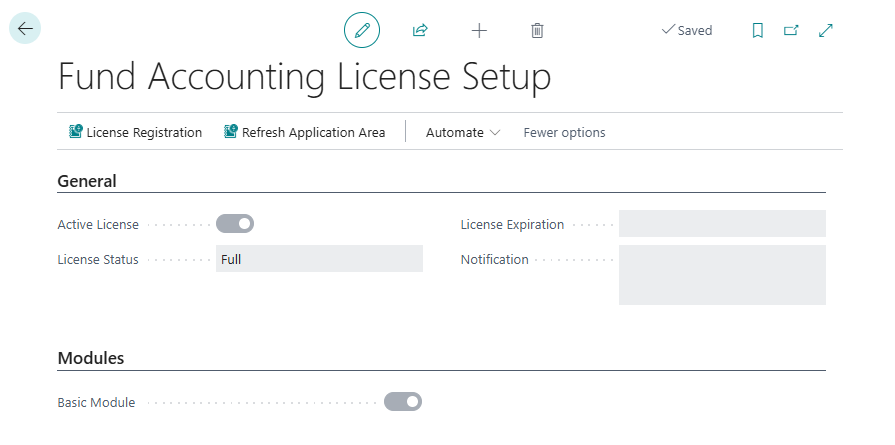
Fund Accounting License Setup
This page is not editable by the End User, but provides information about the status of the Fund Accounting application registration.
| Field Name | Description |
|---|---|
| Active License | |
| License Status | |
| License Expiration | |
| Notification |
Setup
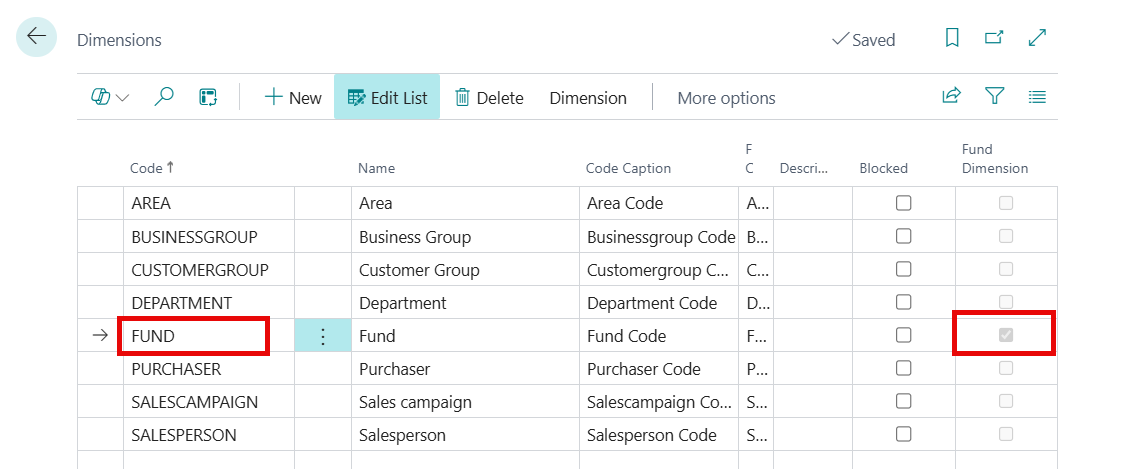
The user must first setup the Fund dimension.
Search Dimension in the ribbon and select the related link.
In the Dimension page, click New and create a Dimension called Fund.
Note
Once the Use Funds field is enabled in the Fund Accounting Setup page, the check box in the Fund Dimension field becomes selected to designate this dimension as the Fund dimension. The dimension will then be required to balance by fund in the system.
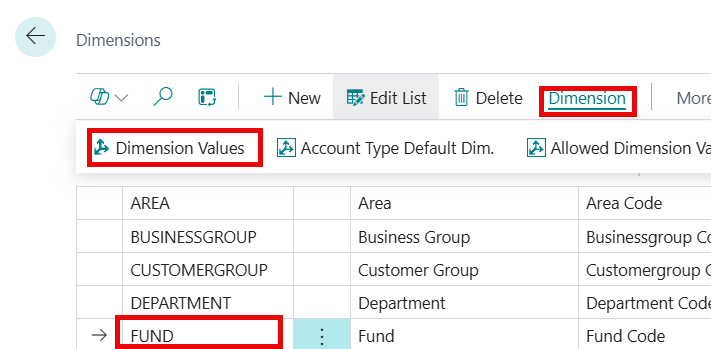
Once the Fund dimension is set up, highlight the line for the Fund dimension and select Dimension > Dimension Value from the ribbon to enter the Dimension Values that represent the grants (funds) received by the organization.
Note
the user will also want to create a Dimension Value for the operating or general fund for general operation transactions. Each fund Dimension Value will have an associated Fund Card to designate the funder’s contact information and Restriction Type.
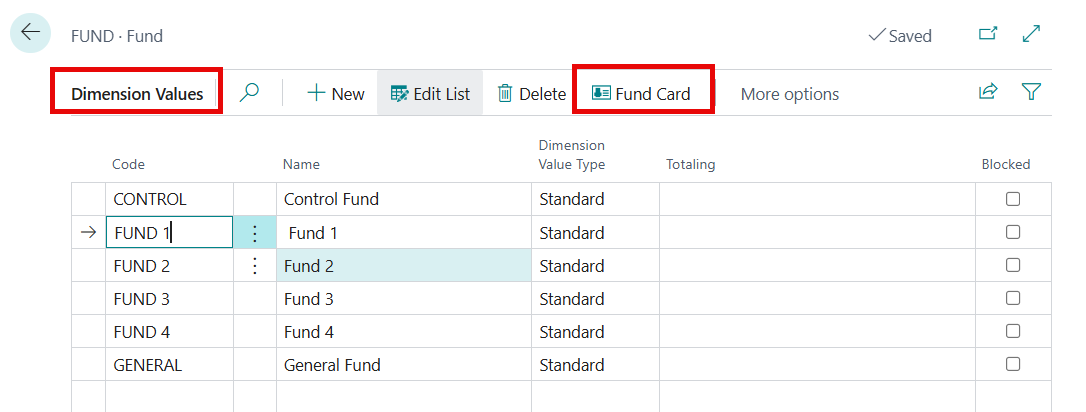
Click Fund > Dimension > Dimension Values.
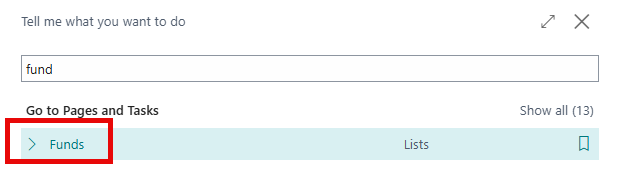
To edit the Fund Card, search for "Funds" and select the related link.
You can also access it from the Dimension Values page. Highlight a Dimension Value, then click Fund Card.
The Fund Card for that Dimension Value displays.
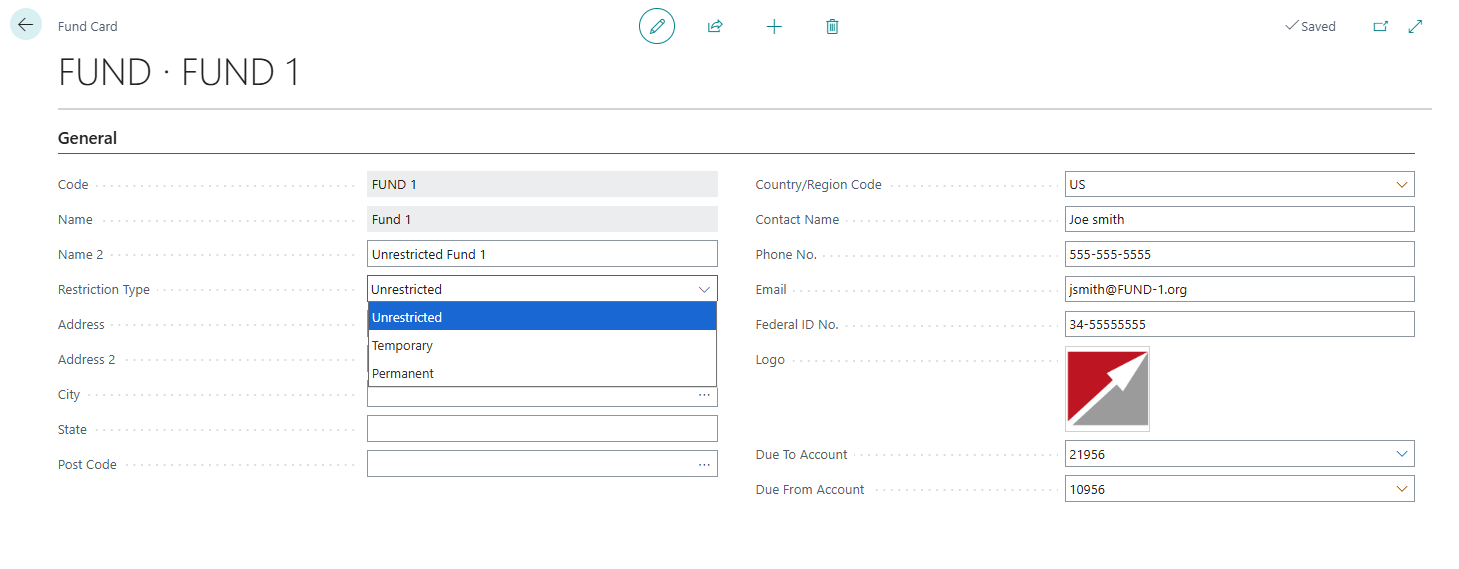
| Field Name | Description |
|---|---|
| Code |
Specifies the code of the Dimension Value. |
| Name | Specifies the name of the Dimension Value. |
| Name 2 | Specifies an alternate name of the Dimension Value |
| Restriction Type | Specifies the limitations placed on how funds can be used. Options: |
| Unrestricted: No restrictions specified for this Fund. | |
| Temporary: Specifies that these funds are designated for specific projects or purposes and can only be used once certain conditions are met, such as a time-based or event-based requirement. | |
| Permanent: Specifies these funds must be maintained indefinitely, with only the generated income available for use. | |
| Address | Specifies the primary Address used for the Fund Dimension value. |
| Address 2 | Specifies the second Address used for the Fund Dimension value. |
| City | Specifies the City used for the Fund Dimension value. |
| State | Specifies the State used for the Fund Dimension value. |
| Postal Code | Specifies the Postal Code used for the Fund Dimension value. |
| Contact Name | Specifies the Name of the person you regularly contact when you do business with this Fund. |
| Phone No. | Specifies the Contact's telephone number. |
| Specifies the Contact's email address. | |
| Federal ID No. | Specifies the taxpayer identification number for the Fund. |
| Logo | Specifies a Logo for the Fund. Click to select the image associated with the Fund. |
| Due To Account | Specifies the Due To G/L Account for the Fund. This is typically a liability account. This value is used when Use Single Due to/Due From in Fund Accounting Setup = "False". |
| Due From Account | Specifies the Due From G/L Account for the Fund. This is typically an Asset account. This value is used when Use Single Due to/Due From in Fund Accounting Setup = "False". |
- Navigate to the General Ledger Setup page to set up the Fund Dimension as Global Dimension.
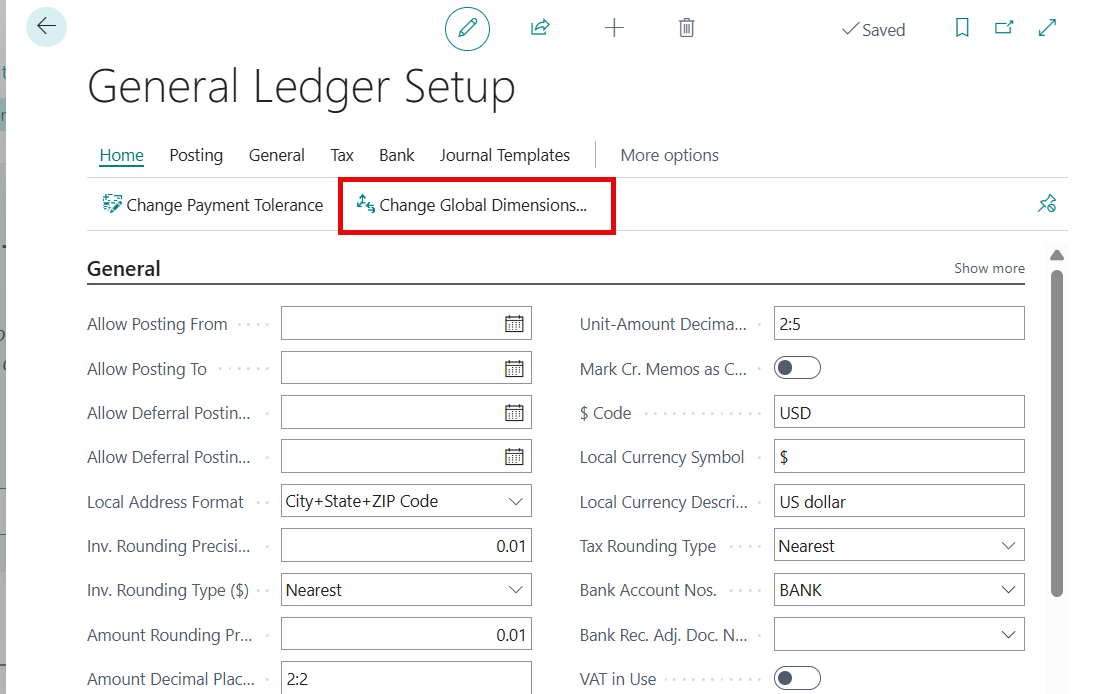
Click Change Global Dimensions.
Click the Global Dimension 1 Code drop-down and select the Fund code.
From the menu, click Sequential > Start.
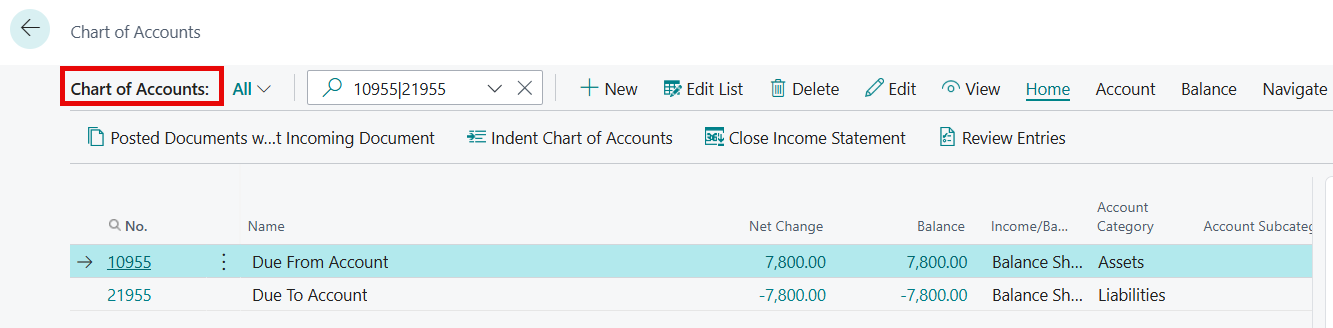
On the Chart of Accounts page, create two new balance sheet G/L accounts called Due To (liability account) and Due From (asset account) to house the Due From/To entries generated when transactions are posted in the General Journal that have different funds. If the fund is the same in all lines in the journal, these entries will not be posted. This process ensures transactions posted in a journal are balanced by fund.
Fund Accounting Setup
Master Setup
- To enable the Master Setup for Fund Accounting, search for Fund Accounting Setup from the ribbon and select the related link.
| Field Name | Description |
|---|---|
| Fund Accounting Active |
Select this option to activate the software after registering the Fund Accounting License in Fund Accounting License Setup. |
| Use Fund Accounting | After enabling Fund Accounting Active, select this option to activate the fields necessary for setting up Fund Accounting for this company. |
Fund Setup
Use Due to/Due From versus Fund Distribution
Due To/Due From entries are used to record interfund balances when money moves between different funds within the same organization (often in governmental or nonprofit accounting). In simpel terms, it tracks who owes whom.
Scenario: If Fund A pays an expense on behalf of Fund B, Fund A is owed money by Fund B.
Fund A will have a Due From Fund B (an asset). Fund B will have a Due To Fund A (a liability).
Fund Distribution entries allocate actual expenses or revenues across multiple funds. If Due To/Due From is disabled, the system cannot create balancing entries between funds. Instead, it uses Fund Distribution to split the original transaction amount among the funds, keeping each fund’s financial statements accurate. It posts the amounts to the same GL account entered on the transaction line, but divided among the funds. This ensures that each fund bears its share of the cost or revenue.
Scenario: If an organization incurs a $10,000 expense for a shared service, and it needs to distribute that cost across three funds (Fund A: 50%, Fund B: 30%, Fund C: 20%), the system creates fund distribution entries to split the expense accordingly.
Main Difference in Simple Terms
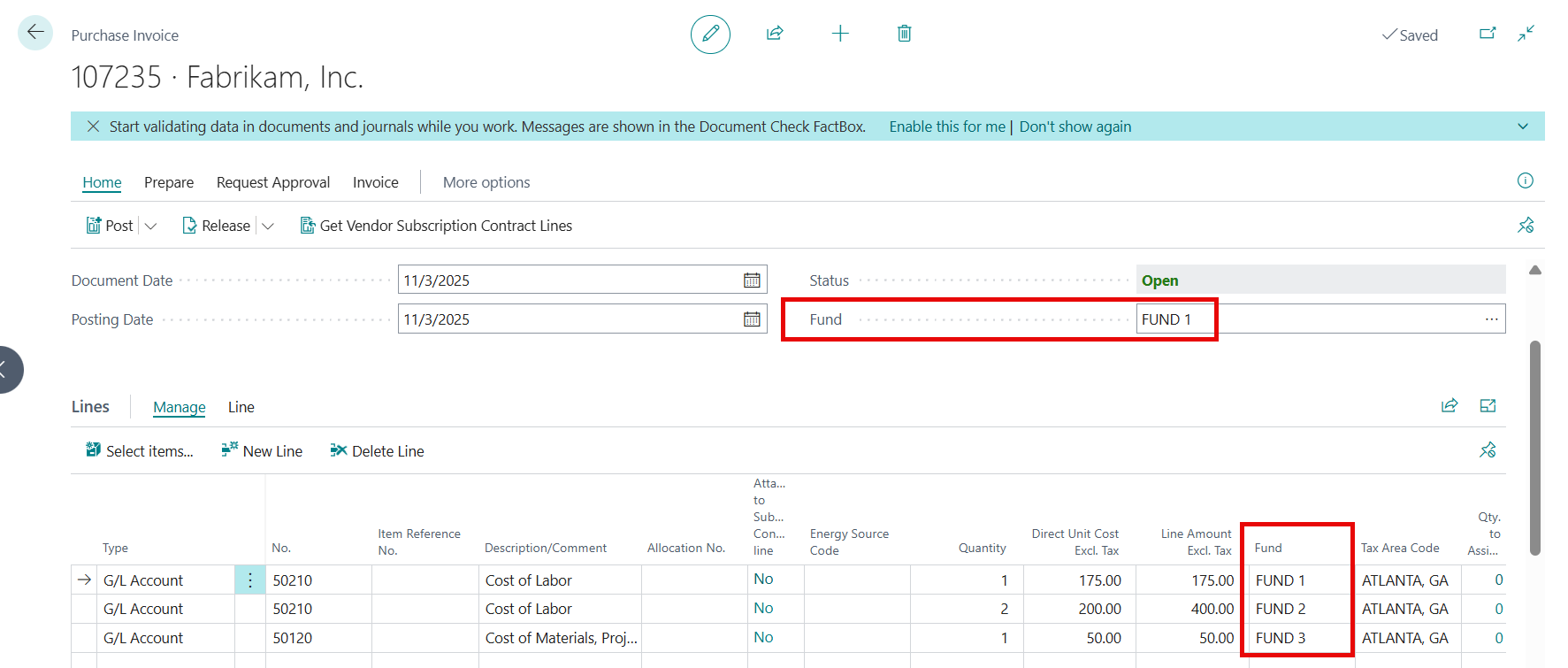
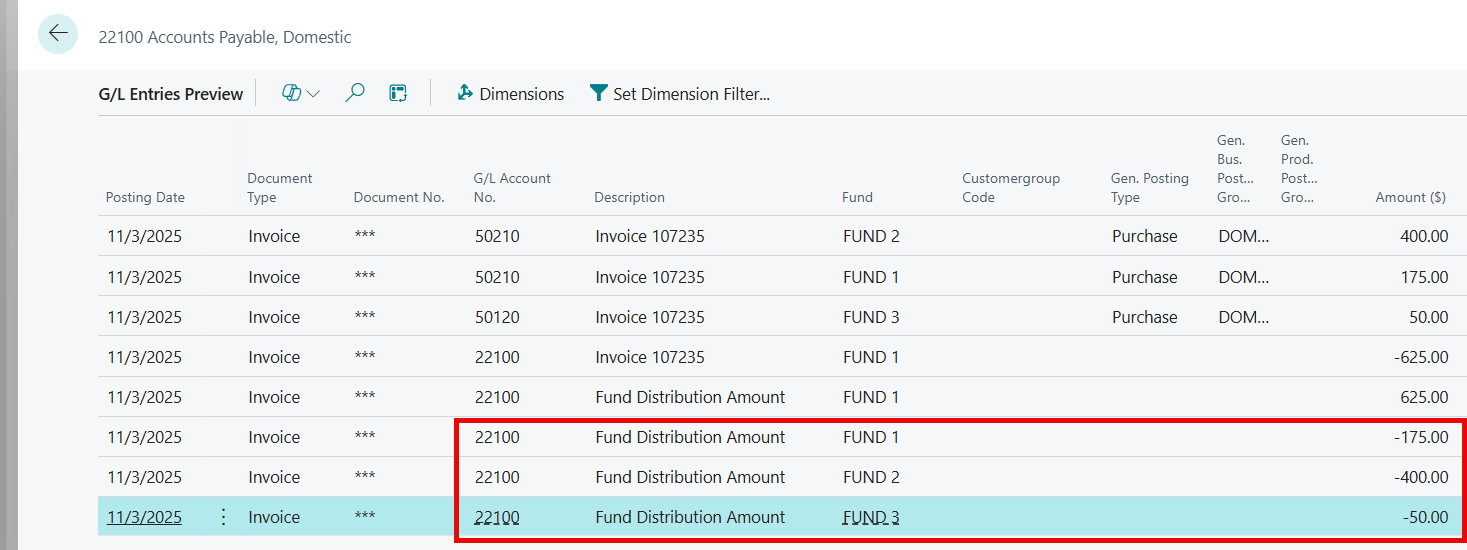
Due To/Due From: Tracks who owes whom (balance sheet impact). Creates Due To/Due From Entries using the Due to Account and Due From Account in Fund Accounting Setup when the Fund in the header of a document is not the same as the Fund in the line(s) of a document. In this example, with Purchase & Sales Use Due To/Due From set to "TRUE", we created a Purchase Invoice where the Fund in the header is FUND 1, and the Fund in the Lines are respectively, FUND 1, FUND 2, and FUND 3.
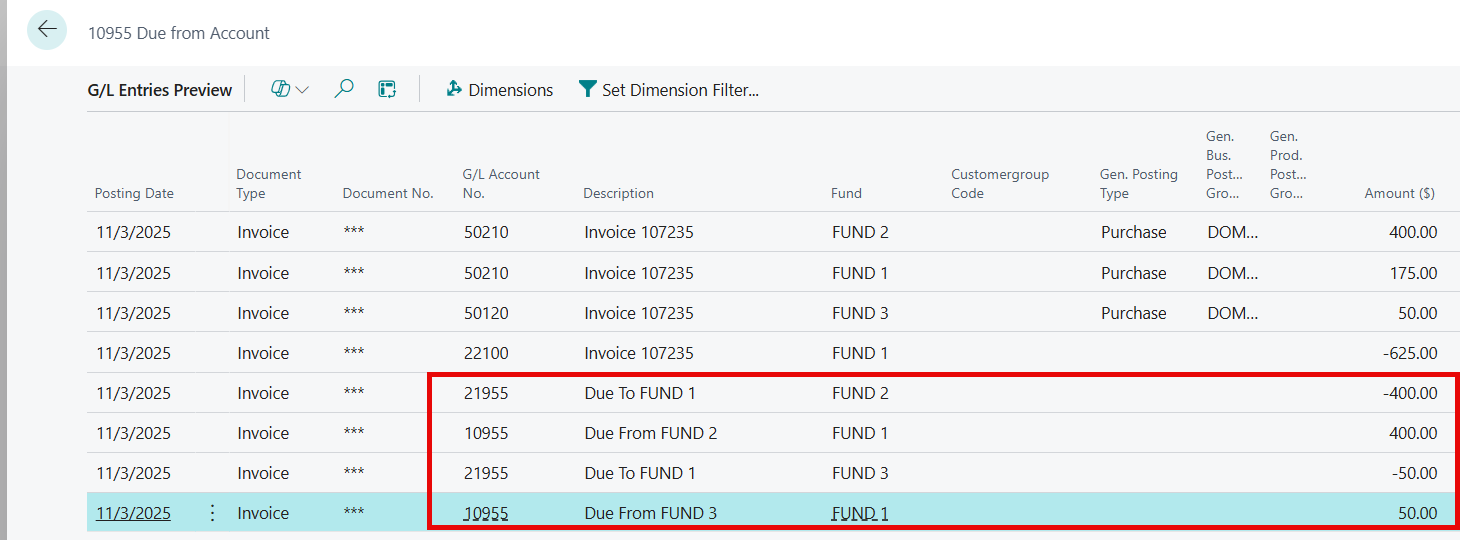
When Due To/Due From is enabled, the system creates entries so that Fund 1 posts to its Due To account (21955), and Funds 2 and 3 post to their Due From account (10955), as defined in Fund Accounting Setup.
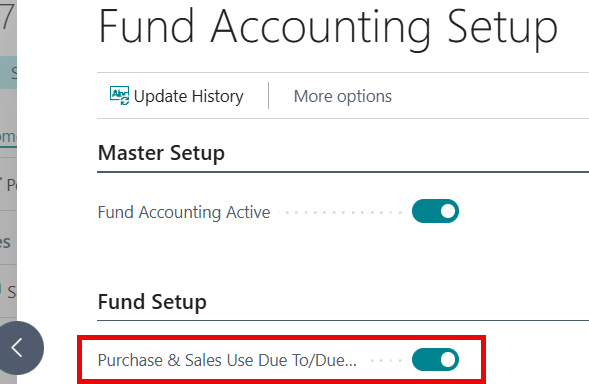
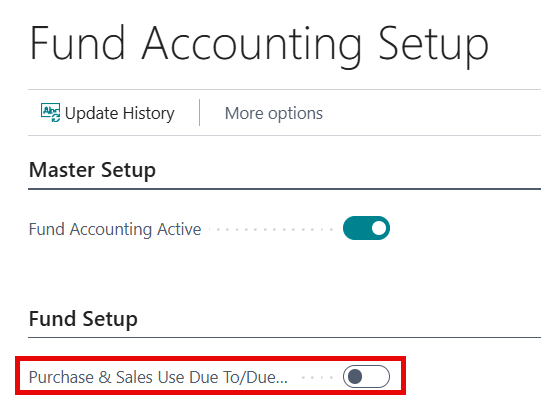
Fund Distribution: If Due To/Due From is turned off, the system splits the transaction amount among the appropriate funds using the same GL account entered on the line. In other words, with Purchase & Sales Use Due To/Due From set to FALSE, no Due To/Due From entries are created—only Fund Distribution entries are made.
The account posted to remains as 22100 for all 3 lines, but the amounts are distributed to the Funds specified on each line.
By default, the Fund Accounting system will create Fund Distributions between funds when the following fields in Fund Accounting Setup are set to "off/FALSE".
- Purchase & Sales Use Due To/Due From
- General Journal - Enable Header Fund & Disable Control Fund
| Field Name | Description |
|---|---|
| Single Due to/Due From | Specifies whether transactions will use a single Due to/Due from Account from Fund Accounting Setup, or if each transaction line will use a different Due to/Due from Account, taken from the Fund Card. |
| - | When enabled (TRUE): The Due to and Due from Accounts are taken from the Fund Accounting Setup. |
| - When disabled (FALSE): The Due to and Due from accounts are taken from the Fund Card related to the Fund on the transaction line. | |
| Purchase & Sales Use Due To/Due From |
Select this option to create Due To/Due From entries for Purchase and Sales entries, and not automatically create fund distributions. |
| General Journal - Enable Header Fund & Disable Control Fund | Select this option to enable the Fund field on the General Journal header and not automatically use the Control fund from Fund Accounting Setup. |
Accounts
In the Fund Setup FastTab enter the account numbers for the Due To Account and Due From Account using the accounts created in previous steps.
Note
These accounts are used for Due to/Due from entries when Use Single Due to/Due From is set to TRUE in Fund Accounting Setup.
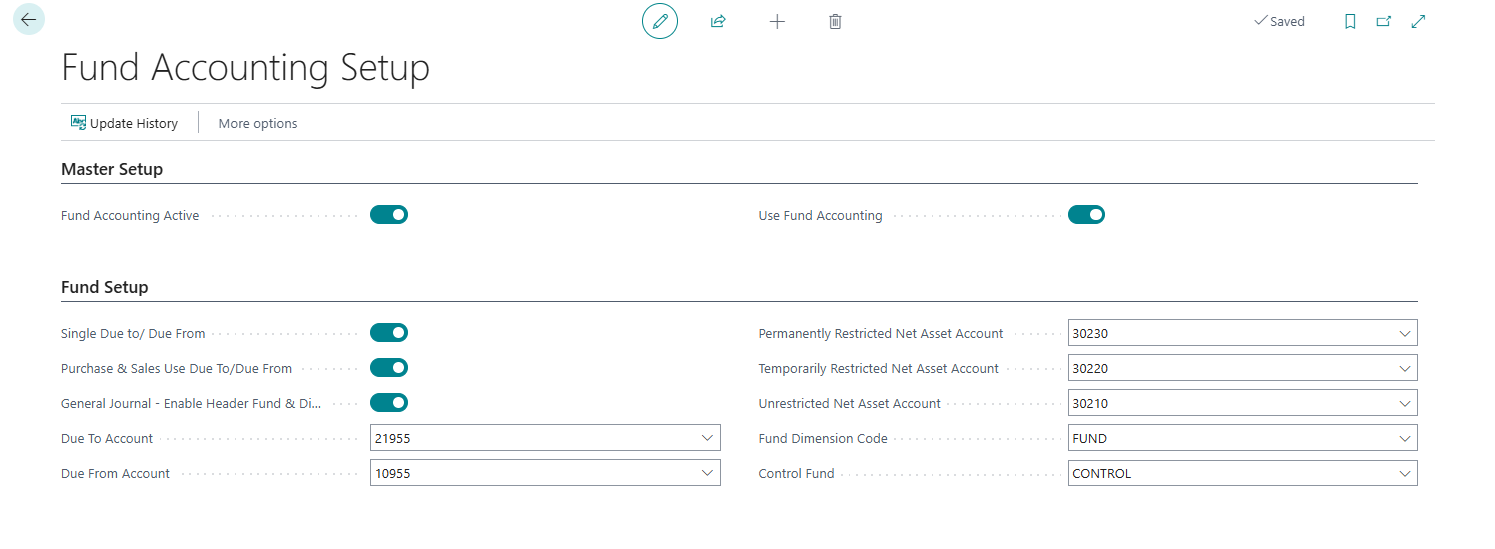
| Field Name | Description |
|---|---|
| Due to Account | Specifies the GL Account to be posted to when Due To entries are created. Typically, this is a Liability account. This account is used for the Due to entries created when Use Single Due to Due from is set to TRUE. |
| Due From Account | Specifies the GL Account to be posted to when Due From entries are created. Typically, this is an Asset account. This account is used for the Due from entries created when Use Single Due to Due from is set to TRUE. |
| Permanently Restricted Net Asset Account | Specifies the GL Account to post to when a Fund's Restriction Type in the Fund Card is set to "Permanently Restricted". Typically, this is a Retained Earnings account and the Close Income Statement process posts to this account. |
| Temporarily Restricted Net Asset Account | Specifies the GL Account to post to when a Fund's Restriction Type in the Fund Card is set to "Temporarily Restricted".Typically, this is a Retained Earnings account and the Close Income Statement process posts to this account. |
| Unrestricted Net Asset Account | Specifies the GL Account to post to when a Fund's Restriction Type in the Fund Card is set to "Temporarily Restricted".Typically, this is a Retained Earnings account and the Close Income Statement process posts to this account. |
| Fund Dimension Code | Specifies the Dimension code set up in General Ledger Setup > Dimensions as Global Dimension 1 Code. |
| Control Fund | Specifies a Fund Code to use for the Due To/From or Fund Distribution entries created when General Journal - Enable Header Fund & Disable Control Fund option in Fund Accounting Setup is set to "FALSE". |
Tip
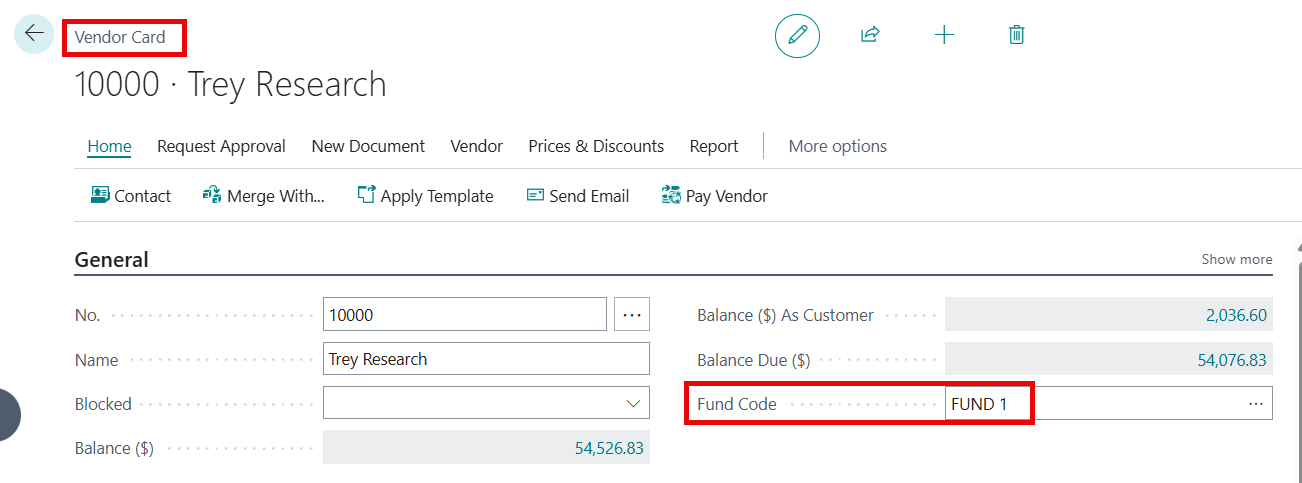
The user may also designate a default fund on the Customer Card and Vendor Card. The fund assigned will populate on document headers and lines. The default fund may be changed on the document if needed.